
How to Automate Rent Collection and Financial Reporting: Best Tips and Tricks
Reading Time: 7 minutesManaging a portfolio of rental properties brings freedom, scalability, and a steady stream of passive income.
It also raises one big question: how do you handle rent collection and financial reporting without losing hours to manual admin? As your business grows, the pressure to stay organized and compliant intensifies.
The options for property management software seem endless, tenant expectations continue to evolve, and the hidden costs of late payments and accounting errors can accumulate quickly.
Landlords often work on the go, which means a lack of centralized digital systems becomes a real risk to your cash flow unless you plan for automation that scales with your portfolio.
Here, we show you exactly how to do that.
Why manual rent collection breaks down at scale
When you’re managing one or two units, a spreadsheet and a few Venmo notifications are manageable. But as you scale, those simple manual habits become significant operational liabilities.
Issues that stem from manual processes fall under the radar at first, but once you cross a certain threshold (typically around 10 to 20 units), the cracks become impossible to ignore.
The cost of human error
Manual data entry is inherently risky. According to Gartner, approximately 59% of accountants and bookkeepers admit to making several manual errors per month.
In the world of property management, a simple typo in a ledger or a misplaced check can spark a legal dispute or a reconciliation nightmare that takes hours to untangle.
The time drain of “check chasing”
Property managers spend a lot of their time just on rent-related admin for a small portfolio. This includes:
- – Physically collecting and depositing paper checks
- – Manually updating “Rent paid” columns in a spreadsheet
- – Sending individual “Where is the rent?” texts or emails
- – Calculating late fees by hand based on varying lease terms
The reporting gap
The biggest breakdown occurs in financial reporting. When your data is scattered across bank statements, paper receipts, and multiple apps, generating a profit and loss (P&L) statement becomes a multi-day ordeal.
Without real-time automation, you’re always looking in the rearview mirror, identifying cash flow gaps weeks after they occur, rather than seeing them in real time.
What is rent collection automation?
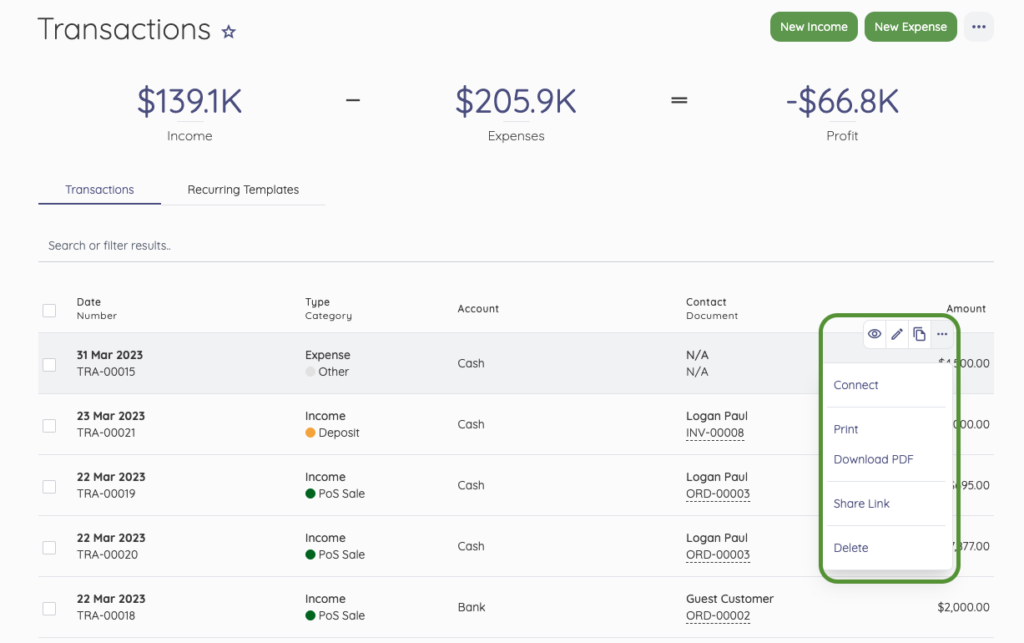
Rent collection automation is the process of replacing manual, human-led tasks (e.g., checking bank balances, writing receipts, sending payment reminders) with a self-sustaining digital system.
Why does this matter?
The primary bottleneck in scaling a rental portfolio is rarely tenant acquisition, but rather the administrative overhead of reconciling fragmented payments.
For many investors, moving away from manual spreadsheets requires consolidating operations into a dedicated property management software like that offered by Hemlane.
This shift enables automated rent collection and the immediate assessment of late fees, while generating real-time financial statements. By digitizing these back-office functions, property management transitions from a labor-intensive manual process into a standardized operational workflow.
Core components of an automated rent collection system
To move beyond manual tracking, you need a system that allows components to communicate with one another. An automated system is a sophisticated engine that bridges the gap between your bank account and your accounting ledger.
When these pieces work in harmony, rent collection and financial reporting happen as a single, unified event rather than two separate chores.
Digital payment options that reduce delays
The easier and faster it is for a tenant to pay, the sooner you get your funds. Automated systems prioritize ACH (bank transfers) and debit/credit card payment options, allowing tenants to set up recurring payments.
By offering multiple digital payment methods, you reduce the “float” time (the gap between the rent being due and the funds clearing your account), which keeps your cash flow predictable and healthy.
Automated late fees and payment rules
One of the most awkward parts of landlording is enforcing late fees. Automation removes the emotion from the transaction.
You can program your system to recognize a grade period and automatically apply a pre-defined fee the moment that period expires.
This ensures consistency across your entire portfolio, protecting you from claims of unfair treatment and upholding your lease terms without manual intervention.
Tenant notifications and automated reminders
Tenant communication is the first line of defense against late payments. Automated systems send out a sequence of notifications: a “coming up soon” reminder five days before the due date, a “due today” alert, and an immediate past due notice if the payment isn’t detected.
Automatic payment reminders keep the rent top-of-mind for tenants without requiring a single text or phone call from you.
Real-time transaction syncing
Automation eliminates the need for manual data entry by connecting directly to your bank accounts and credit cards. Through secure integrations like Plaid, every rent check or money order that clears, and every repair invoice paid, are instantly pulled into your management dashboard.
This always-on syncing ensures your books are updated daily, providing an accurate view of your cash position without you ever having to open a spreadsheet.
Automated income categorization
Not all money coming in is rent. A modern system uses intelligent logic to help you manage income and expenses by distinguishing between base rent, security deposits, pet fees, and late penalties.
By automatically assigning these funds to the correct ledger accounts, the software ensures that your rent collection and financial reporting accurately reflect your diverse income streams, preventing the common mistake of over-reporting taxable rental income.
Expense tracking and matching
Expense management is where many property owners lose money through missed deductions. Automated tools allow you to snap photos of receipts or forward digital invoices directly to the platform.
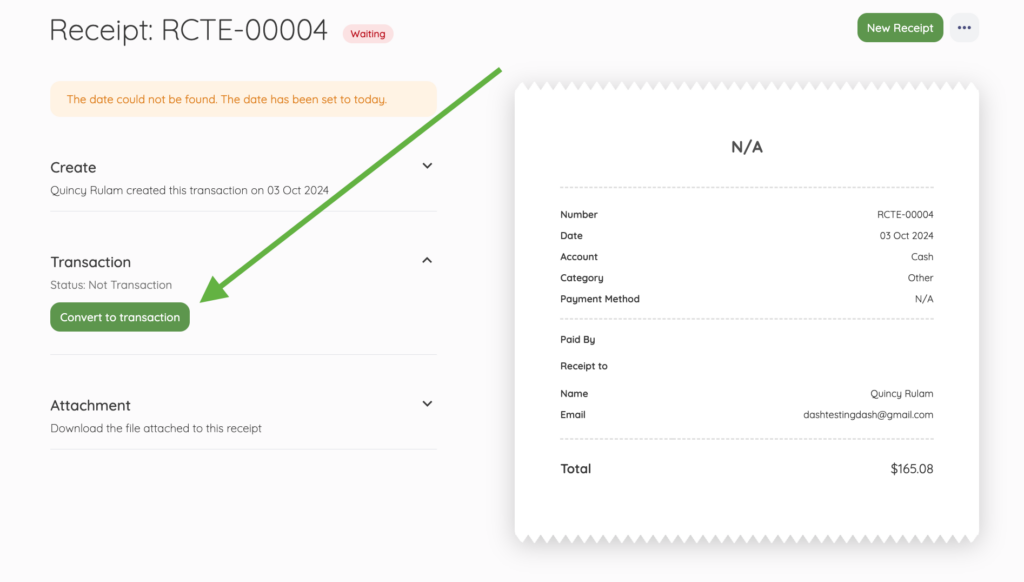
The system then matches these expenses against the transactions synced from your bank. This creates a closed-loop system where every dollar leaving your account is accounted for and categorized by property, unit, and expense type (e.g., repairs vs. capital improvements).
Built-in financial reporting
The true power of automation lies in the “one-click” report. Because your date is being categorized in real-time, you can generate essential documents instantly:
- – Profit and loss (P&L): See exactly how much you’re netting after expenses.
- – Cash flow reports and statements: Track the actual movement of liquidity to ensure you can cover upcoming mortgages or taxes.
- – Rent roll: Get a snapshot of who’s current, who’s late, and which units are vacant.
Year-end and tax-ready reporting
Tax time often brings a scramble of documents, but an automated system keeps you audit-ready year-round.
Since every transaction is already categorized and linked to a digital receipt, you can export a clean Schedule E report or a general ledger for your CPA in seconds.
This reduces the billable hours your accountant spends on “cleaning up” your books and ensures you maximize every legal deduction, from depreciation to mileage.
Security and compliance measures
When handling sensitive banking information and personal tenant data, security is a legal requirement.
Automated platforms use encrypted gateways to process manual or automated payments, ensuring you, the landlord, never actually see or store a tenant’s full credit card number or bank login. This significantly reduces your liability and ensures compliance with financial privacy laws.
It also limits exposure in the event of ransomware or other system-level attacks targeting financial data.
Financial record retention is another benefit of automated systems. They automatically archive invoices, payment receipts, and communication logs for the required number of years, meaning you’ll never have to dig through a filing cabinet for a three-year-old proof of payment.
Since rent payments and financial reports often live inside the same tools, it’s worth thinking about access control too. Enterprise cybersecurity solutions can help you lock down what apps and files can run on your systems, so one bad download doesn’t turn into a bigger mess across your operations.
This matters even more when you have multiple people handling payments, invoices, or owner’s monthly statements. It keeps your workflow moving while adding a strong layer of protection in the background.
Best practices for automating rental collection and financial reporting
To get the most out of your automation tools, you need a strategy that ensures data integrity and tenant adoption.
- – Mandate digital payments in the lease: Automation only works if everyone uses it. Explicitly state in your lease agreements that rent must be paid through your designated portal. Clear payment terms eliminate the hybrid system of managing both digital logs and physical checks.
- – Standardize your chart of accounts: Before you sync your bank feeds, ensure your income and expense categories align with Schedule E tax requirements. Standardizing these categories early ensures your rent collection and financial reporting are perfectly organized for your CPA from day one.
- – Sync with a dedicated accounting system: While property management tools handle the day-to-day, the most efficient portfolios sync this data with accounting software. This creates a “single source of truth” for your entire business.
- – Audit your automation monthly: Even the best systems need a “sanity check”. Spend 15 minutes a month reconciling your software’s dashboard against your actual bank statement to ensure no transactions were missed or double-counted.
- – Centralize data storage: Attach digital copies of receipts and invoices directly to the corresponding transactions in your software. This creates an immutable trail that links your financial reports to physical proof, saving hours during an audit.
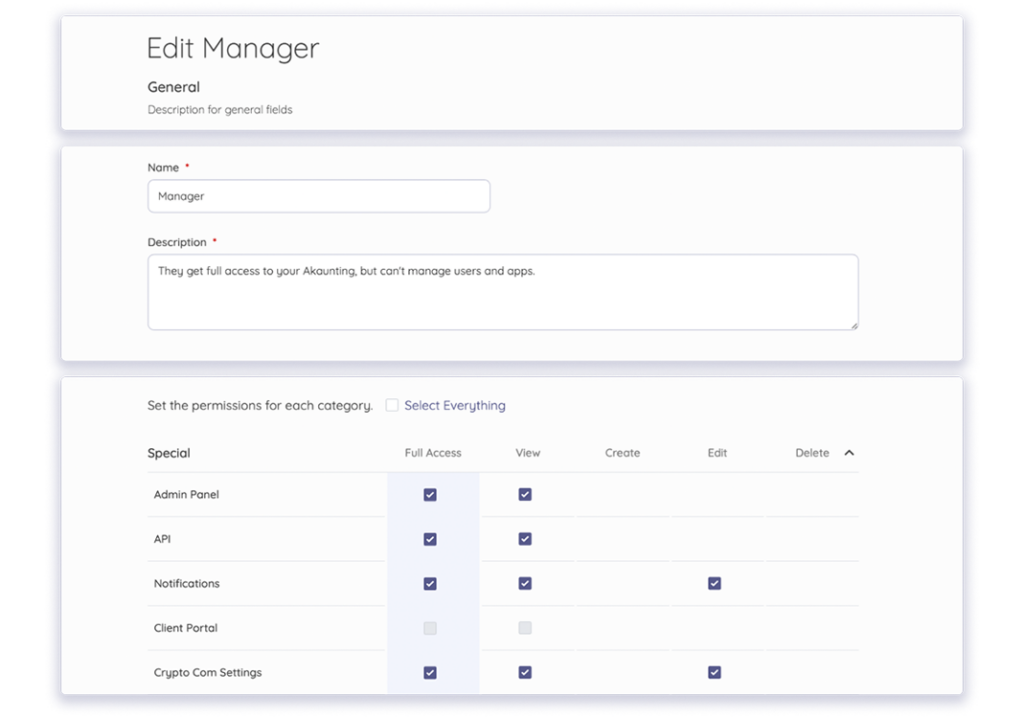
- – Tier your access controls: If you work with a virtual assistant or bookkeeper, use “view-only” or restricted access roles. This allows your team to manage data entry and reporting without giving them the ability to move funds or change core bankings settings.
Preparing your rent operations for scale
Automating your rent collection and financial reporting is a strategic move to protect your time and your bottom line. By shifting away from manual spreadsheets and “check chasing,” you eliminate the human errors that lead to costly financial leaks.
Ready to spend less time on manual entry and more time growing your portfolio? Give Akaunting a try for free to see how straightforward and stress-free managing your rent collection and financial reporting can be.
About the Author

Kelly Moser is the co-founder and editor at Home & Jet, a digital magazine for the modern era. She’s also the content manager at Login Lockdown, covering the latest trends in tech, business, and security. Kelly is an expert in freelance writing and content marketing for SaaS, Fintech, and e-commerce startups.