
How to Ensure Accurate Payroll and Overtime Compliance Using Time Tracking and Accounting Software
Reading Time: 7 minutesPayroll mistakes hurt your bottom line. They can trigger compliance headaches, employee distrust, and even legal trouble.
And since labor laws shift by state, city, and sometimes industry, accuracy isn’t optional.
But many companies think their accounting or billing software handles everything by default. Unfortunately, default settings rarely align with the complexities of real-world payroll and overtime laws.
That’s why it’s important to configure your settings and use integration options to create your own setup.
Let’s take a closer look at how you can ensure accurate payroll and overtime compliance using time and billing software. But first, here are some of the top payroll and overtime challenges to keep in mind. 👇
Payroll and Overtime Challenges
Even with solid payroll systems in place, many companies still face recurring issues that compromise accuracy and compliance.
These problems typically stem from setup issues, oversight, or missing integrations, rather than the software itself.
Payroll Errors and Data Inconsistencies
Simple mistakes, such as missing time entries, incorrect pay codes, or duplicate shifts, can snowball into paycheck disputes and compliance risks. When your timesheets and payroll data don’t align, you spend more time fixing errors than running smooth pay cycles.
Incorrect Overtime Calculations
Overtime rules vary by state and sometimes by city.
If your system relies only on federal defaults, you might underpay or overpay your team.
Common culprits include:
- – Daily vs. weekly threshold confusion.
- – Missing bonus adjustments.
- – Misapplied multipliers.
Poor Meal and Rest Break Tracking
In states with strict break laws, missing or late meal breaks can trigger penalty pay. Without clear records stating when breaks happen, you can’t prove compliance. And that’s a problem if regulators or employees raise concerns with your company.
Inaccurate or Delayed Timesheet Approvals
When managers review or approve timesheets late, accountants and payroll teams are forced to work with incomplete or outdated data.
Delays may lead to rushed corrections, which increase the risk of overtime miscalculations or pay discrepancies.
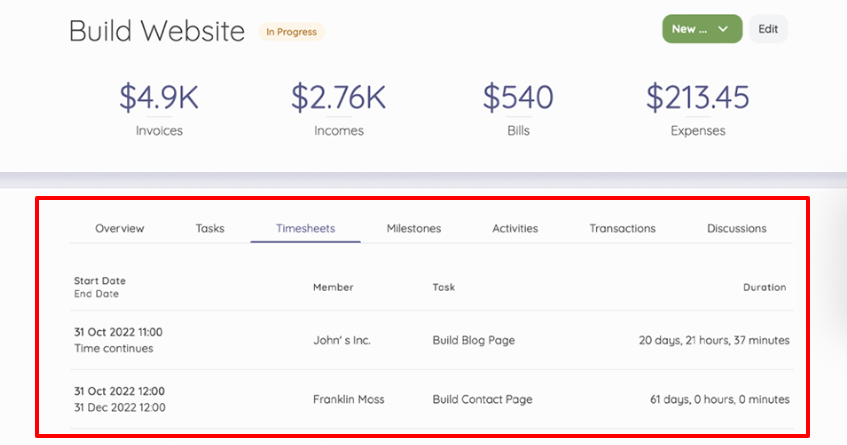
(Timesheet Screenshot – Image Source)
Unauthorized Time Edits
If too many people edit or override time entries, accuracy goes out the window. Unverified edits, especially without audit trails, can hide scheduling errors or even intentional time fraud.
“Buddy Punching” and Offsite Clock-Ins
Without location controls or verified devices, employees can clock in for one another or from unauthorized sites. This is sometimes called “buddy punching,” and it inflates labor costs and skews time spent data. (Which makes accurate payroll nearly impossible.)
This can be an even bigger risk for hybrid or remote companies since employees aren’t physically present.
Misclassified Employees
Mixing up exempt and non-exempt roles is one of the costliest payroll mistakes.
Paying an exempt employee overtime or failing to pay a non-exempt one for extra hours can lead to fines, back pay, and legal exposure. It can also throw off your company’s business budget, since the pay wasn’t properly accounted for.
Lack of Real-Time Visibility
When payroll and time data live in two or more systems, you sometimes can’t spot issues until after payday. This blinds managers to overtime buildup or repeated data errors that could have been fixed earlier.
The good news is you can prevent these challenges with a smart system setup and consistent reviews.
Let’s take a look at this below. 👇
How To Ensure Accurate Payroll and Overtime Compliance (11 Steps)
Here’s how to make sure employees get paid properly and your organization remains compliant:
1. Configure Legal Rules in the Software
Set up your time and billing features to match the laws that apply to your team.
➜ Never assume the system’s defaults meet your jurisdiction’s requirements.
Explicitly set overtime thresholds, whether daily, weekly, or both, depending on state and federal laws. Validate that rate multipliers like 1.5x or 2x match those rules exactly. To double-check your setup, you can also use an overtime calculator to verify that the thresholds and multipliers you’ve configured match the actual pay rules in your region.
Then, run test payrolls monthly using sample timesheet system data. (These dry runs help confirm your system calculates overtime, deductions, and taxes accurately before the next live cycle.)
A quick monthly test like this can prevent costly retroactive corrections and compliance violations in the future. So don’t skip it!
2. Integrate Time Tracking App and Payroll Systems Directly
Your time tracking app and payroll platform should communicate directly with each other. Relying on manual file uploads or CSV transfers is risky. Instead, use an API or a native integration that syncs data automatically.
Schedule daily imports so time data never goes stale. Before every pay run, reconcile imported hours against approved timesheets. No exceptions. This step ensures no missing shifts, duplicate entries, or late edits slip into your payroll batch.
Bring productivity management software into your billable hours workflow to capture who did what, when, and under which policy. (See the image below.)
Automatic real-time tracking and payroll approval trails make compliance checks easier and prevent mistakes that can cost you money.
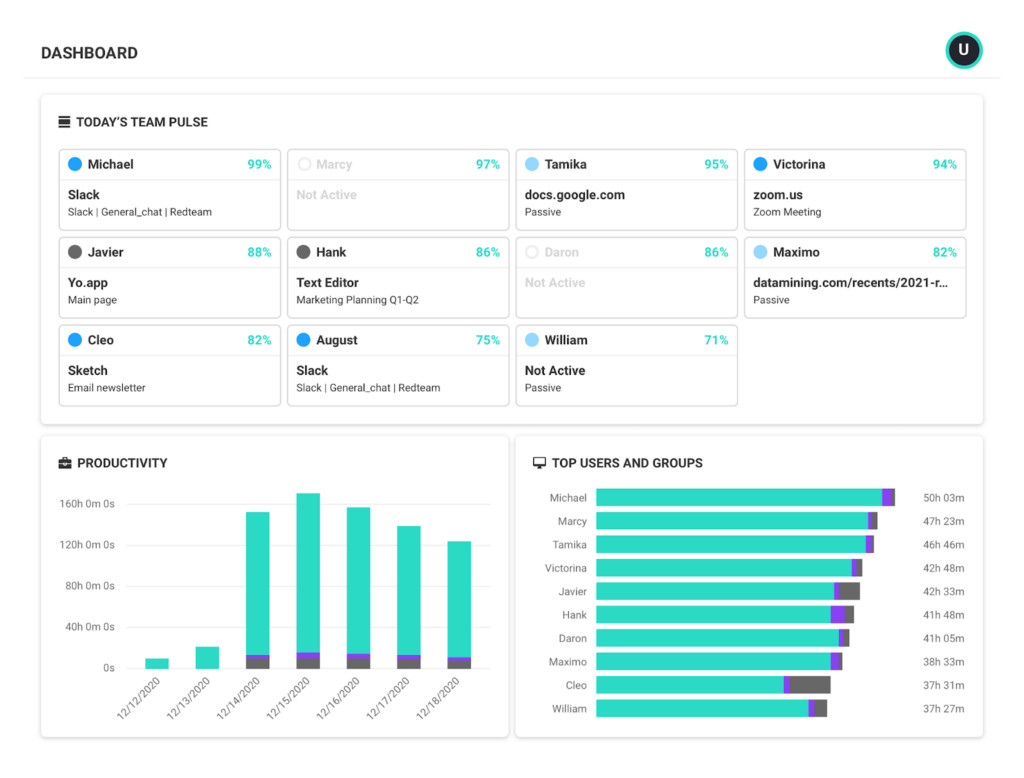
(Productivity Dashboard – Image Source)
3. Lock Down Timecard Editing Permissions
Keep timecard integrity tight. Only supervisors should have permission to edit or approve time entries. Every edit must generate an immutable time log so you can track who changed what, when, and why.
Review edit histories weekly.
Look for patterns, such as employees or managers who frequently modify hours. (Ask them why they made modifications if you didn’t get a heads up.)
High-frequency changes are red flags for potential compliance issues and data manipulation.
4. Enforce Real-Time, Geofenced Clock-Ins
Use auto time-tracking and geofenced clock-ins to ensure employees log hours from approved locations and devices. This step prevents buddy punching and helps make sure your data reflects real attendance.
Set up alerts for any shifts started outside authorized areas or scheduled hours. A quick manager review can confirm whether it’s a legitimate exception or a compliance concern.
5. Automated Time Tracking Alerts for Overtime Triggers
Configure your time analytics system to send automated real-time alerts when employees approach overtime thresholds.
Give managers the authority to approve, cap, or redistribute hours before they cross those limits. This proactive control prevents unexpected overtime costs and ensures compliance with wage and hour laws.
6. Mandate Weekly Manager Approvals
Require supervisors to review and approve all timecards and payslips within 24 to 48 hours after the end of each workweek. Make approvals digital and timestamped with secure signatures.
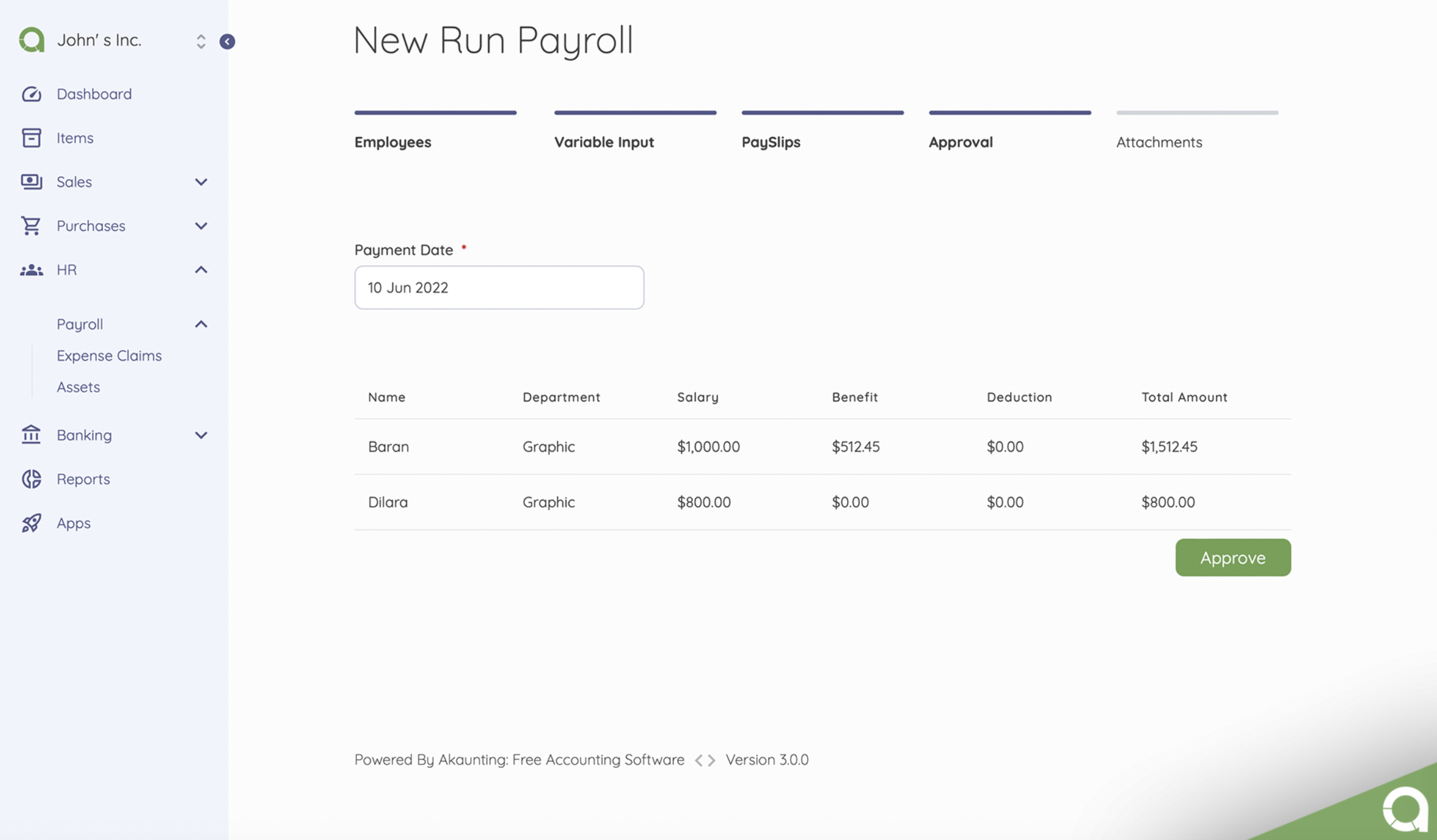
(Payroll management system – Image Source)
If approvals are incomplete, the system should automatically block payroll processing to enforce accountability at the managerial level.
7. Audit Classifications Quarterly
Job misclassification is one of the most common compliance traps.
Once a quarter, cross-check payroll data against HR job codes and FLSA exemption criteria.
Set up alerts for inconsistencies, like “exempt” employees recording hourly data or overtime activity. (Anomalies can trigger wage disputes or government audits if left unchecked.) Regular classification audits keep your records compliant and defensible.
8. Maintain a Compliance Dashboard
Centralize your compliance indicators in one live dashboard.
Track metrics like:
- – Pay corrections after submission.
- – Overtime hours per pay period.
- – Number of edits post-approval.
- – Late approvals.
Review the dashboard after every payroll cycle and escalate any outliers for investigation.
A clear view of these indicators helps leadership spot issues early, before they spiral into legal or financial risks.
9. Conduct Quarterly Payroll/Time Reconciliations
Once a quarter, pull custom reports for random pay periods and confirm that total approved hours equal total paid hours. If they don’t match, document every variance, identify root causes, and note corrective actions.
Keep these reconciliation records for audit readiness. They demonstrate that your organization actively monitors payroll accuracy — a key point in compliance inspections.
10. Train Everyone (Including Employees and Managers)
Payroll compliance isn’t solely an HR problem. Every manager who approves timecards or schedules shifts plays a role.
Require annual compliance training for managers that covers:
- – Correct timecard approval practices.
- – Overtime law variations by state.
- – Prohibited off-the-clock behavior.
Make sure to also train employees on timecard and overtime best practices. (This is a great training module to include during onboarding.)
Bonus tip: Embed short, 10-minute refreshers each quarter through your HR system for managers and employees, and require completion. Regular education reduces unintentional violations and keeps your team sharp.
11. Implement a High-Leverage Control: Assign a Payroll Compliance Owner
Make one person, usually from HR or Finance, formally accountable for payroll compliance.
This individual needs to make sure every pay cycle aligns with labor laws, system configurations, and approval policies.
Document this accountability clearly.
Wrap Up
Payroll accuracy and overtime compliance start with intentional system setup, proactive monitoring, and shared accountability. Time tracking and accounting software can’t do it all automatically. But when you configure it and manage it properly, they become your strongest compliance allies.
Ready to tighten your payroll process? Use Akaunting to automate pay‑runs, sync your accounting and time tracking data, and stay compliant with less effort.
FAQs
What is time tracking software and how does it integrate with accounting?
Time tracking software records employee or project budgeting hours. When integrated with accounting or payroll systems, it promotes accurate labor cost attribution, billable hours, and payroll postings.
Why should my business use time tracking software instead of spreadsheets?
Manual methods often miss employee hours, increase errors, and lack audit trails. Software automates entries and provides reliable data for client billing and payroll.
What features should I look for in time tracking software that supports accounting?
Look for integration with payroll/accounting platforms, mobile and geolocation tracking, and approval workflows. You also need audit logs, client or project budgeting, time reporting, and customizable reports. You may need to use integrations to sync all of these!
How does time and expense tracking software help with payroll and labor cost management?
Time tracking software helps by accurately tracking and logging hours directly into payroll systems.
It also:
- – Maintains compliance with overtime and project cost rules.
- – Supports real-time labor cost analysis.
- – Reduces mismatches.
Are there risks or limitations with using time tracking and accounting software?
Yes. If software isn’t configured or managed properly, it can still produce inaccurate data, hidden labor cost leaks, or audit vulnerabilities.
About the Author

Kelly Moser is the co-founder and editor at Home & Jet, a digital magazine for the modern era. She’s also the content manager at Login Lockdown, covering the latest trends in tech, business and security. Kelly is an expert in freelance writing and content marketing for SaaS, Fintech, and ecommerce startups.